"Saved me from missing an emergency call from my mom. The repeat caller detection is brilliant!"
Never Miss an Important Call Again
Smart detection that overrides silent mode for urgent repeat calls. Privacy-first, battery-efficient call management for Android.
Privacy First
<2% Battery
<100ms Detection
The Problem with Silent Mode
Missing important calls when your phone is on silent mode
Silent Mode
Phone stays silent during meetings, sleep, or focus time
Missed Calls
Important calls from family, work, or emergencies go unnoticed
No Alert
No way to distinguish urgent calls from spam or casual calls
How Smart Call Assistant Solves It
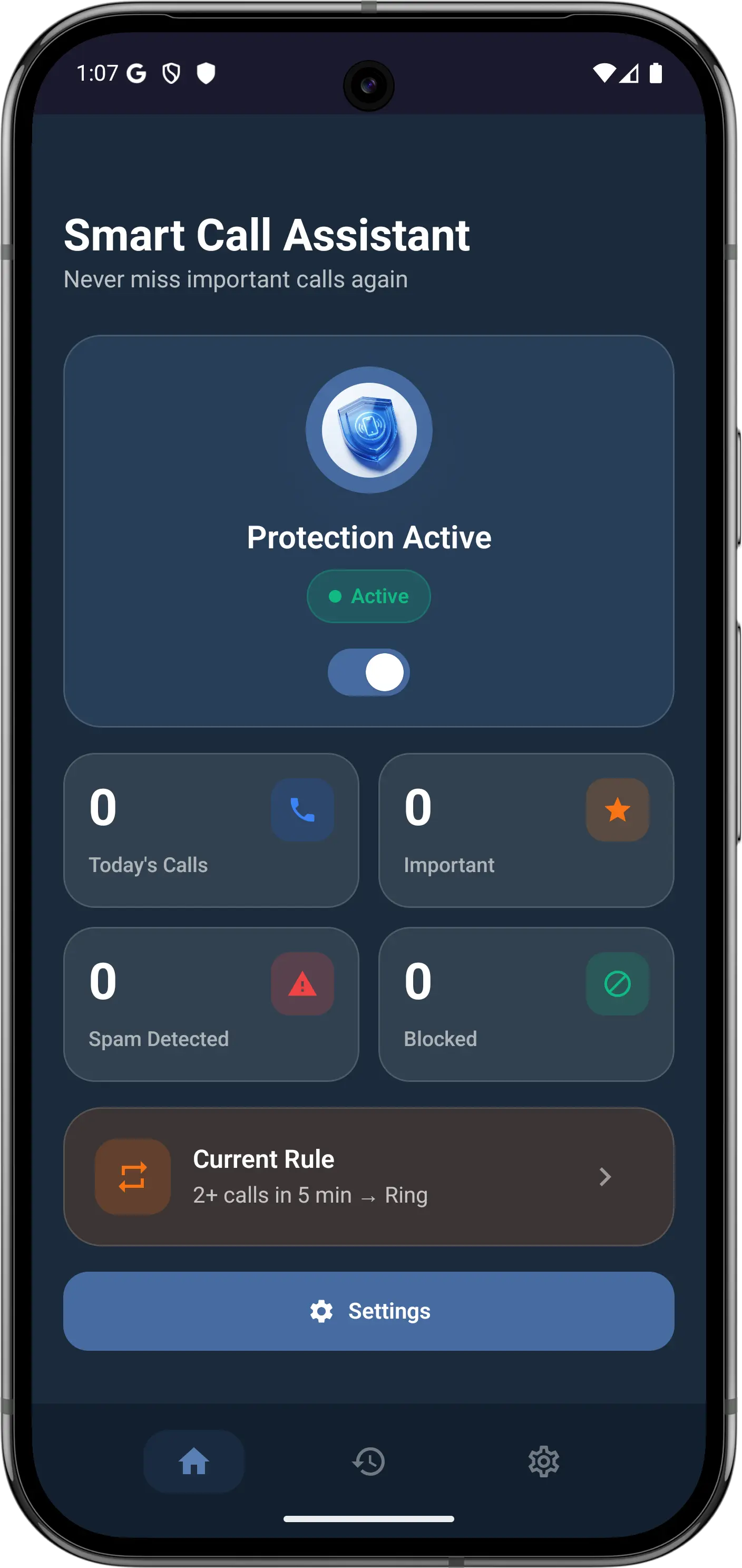
Smart Call Assistant detects repeat callers and overrides silent mode automatically
Detect Repeat Callers
Monitors incoming calls and identifies repeat callers within a time window
Analyze Urgency
Checks call frequency, spam database, and your custom rules
Override Silent Mode
Rings your phone at full volume for urgent calls, even in silent mode
Smart Call Assistant Features & Benefits
Everything you need to manage your calls intelligently on Android
Smart Repeat Caller Detection
Automatically detects when someone calls you multiple times within a configurable time window, signaling urgency.
Silent Mode Override
Overrides silent mode and Do Not Disturb to ring at full volume for important repeat callers.
Smart Call History
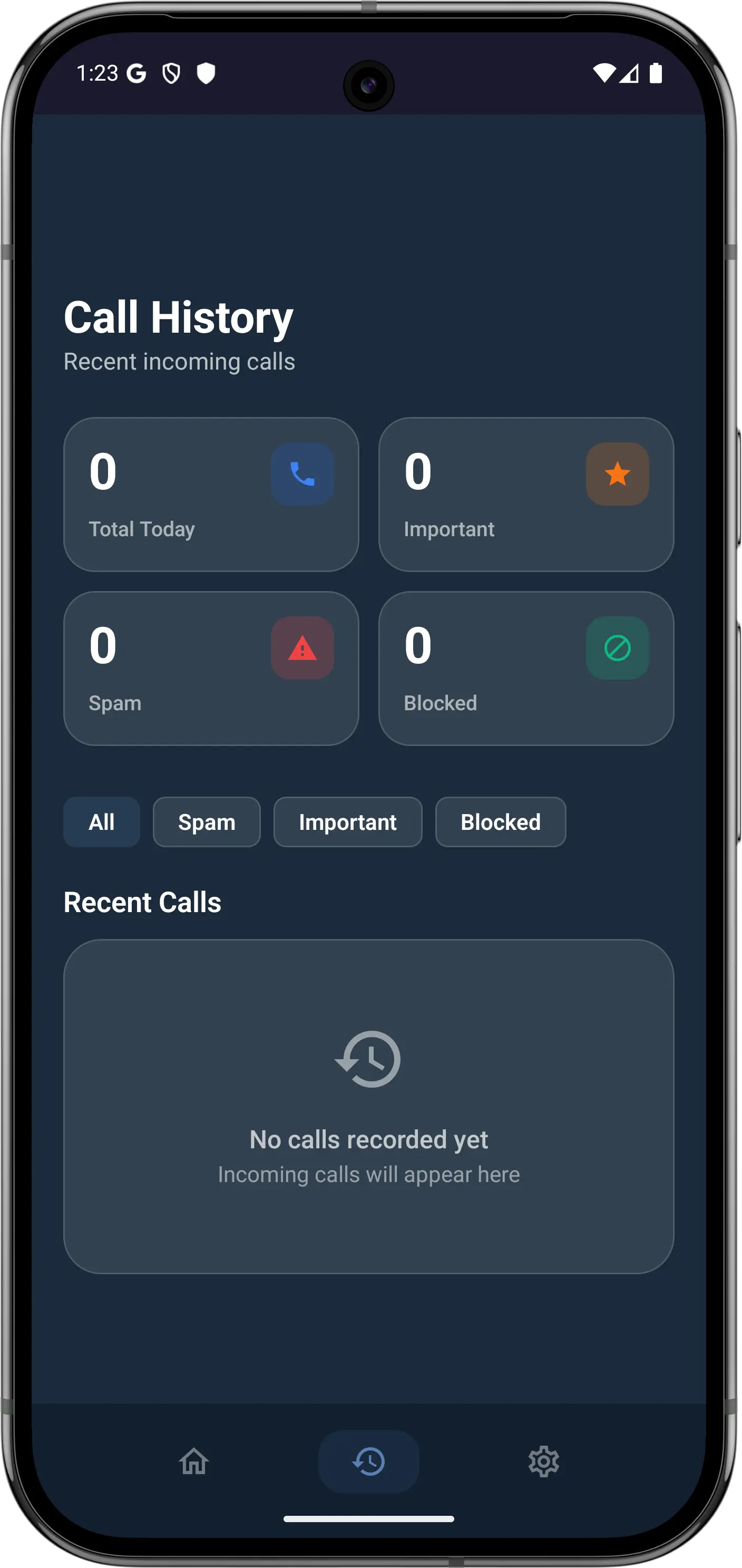
View detailed call history with smart categorization: important, spam, blocked, and regular calls.
Configurable Detection Rules
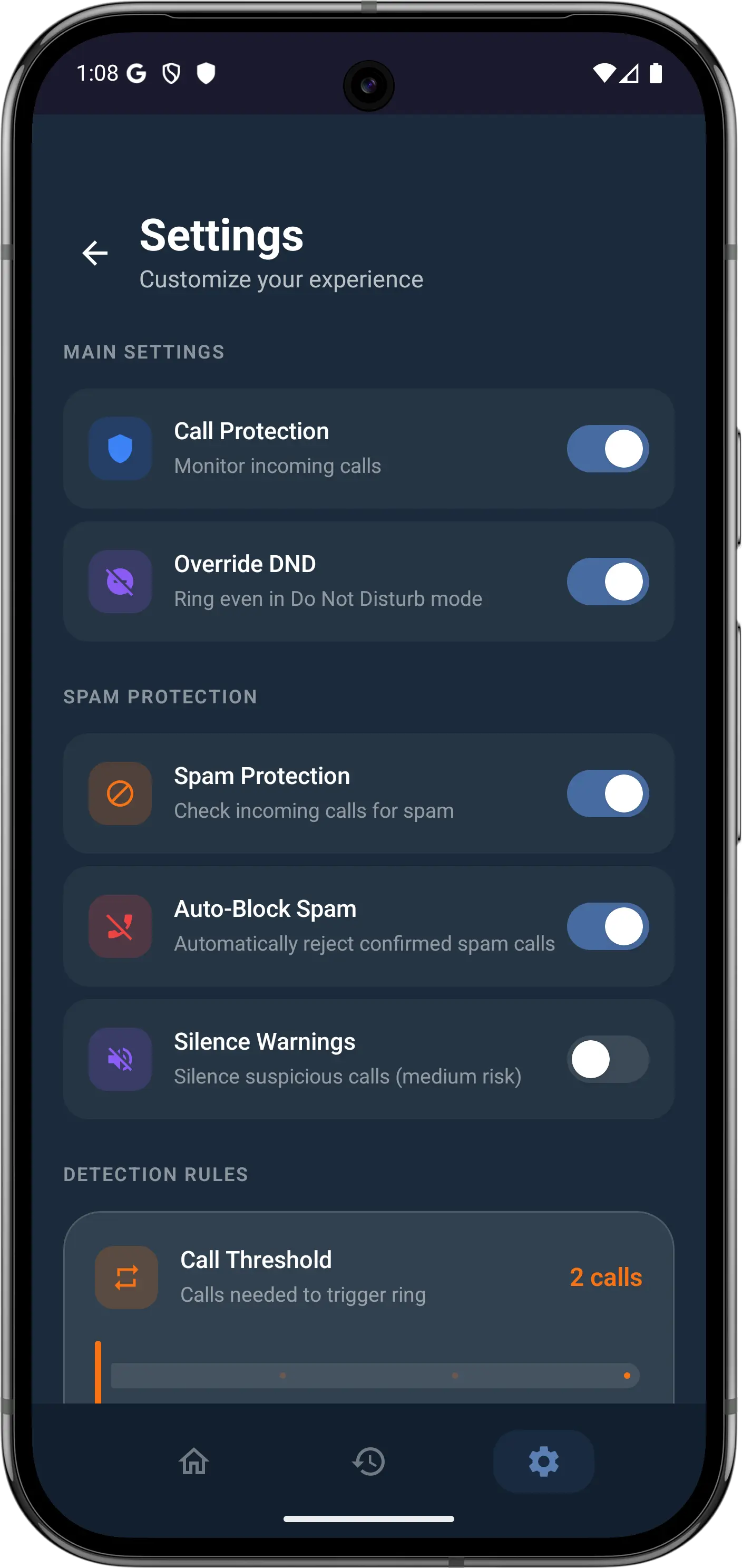
Customize detection thresholds, time windows, and which contacts can override silent mode.
Spam Call Blocking
Built-in spam detection using community reports and AI analysis. Block unwanted callers automatically.
Battery Efficient Design
Uses less than 2% battery per day. Optimized background processing with minimal resource usage.
See Smart Call Assistant In Action
Beautiful, intuitive interface designed for quick glances
Watch How Smart Call Assistant Works
See Smart Call Assistant in action with a quick demo
App Demo
Permission Setup Guide
Get Started in 3 Simple Steps
Step 1: Download
Download Smart Call Assistant free from Google Play Store
Step 2: Grant Permissions
Grant phone and notification permissions for silent mode override
Step 3: Stay Protected
You're protected from missed calls. Customize detection rules as needed
Frequently Asked Questions
Common questions about Smart Call Assistant
Absolutely. All call data is stored locally on your device. We never upload your call history, contacts, or personal information to any server. The app works entirely offline for core functionality.
Less than 2% per day. Smart Call Assistant uses an optimized background service that only activates when a call comes in. It doesn't continuously run or drain your battery.
Smart Call Assistant supports Android 8.0 (Oreo) and above, covering over 95% of active Android devices worldwide.
The app monitors incoming calls and checks if the same number calls multiple times within a configurable time window (default: 2 calls within 5 minutes). This repeat-call pattern typically indicates urgency.
Yes! You can adjust the number of calls required, the time window, and even set specific contacts to always or never override silent mode. All settings are accessible from the app's Settings screen.
Yes. Smart Call Assistant can override Do Not Disturb mode for urgent repeat calls, provided you grant the necessary notification access permission during setup.
The app requires Phone permission (to detect incoming calls), Notification Access (to override silent mode), and optionally Contacts permission (to display caller names). No internet permission is required for core functionality.
Ready to Never Miss Important Calls?
Download Smart Call Assistant free today and stay connected to what matters most.
Download Free on Google Play
4.8/5 Rating
10K+ Downloads
Privacy First